Questions a careful person asks before handing over their inbox
Sidekick acts on your behalf — that deserves straight answers. Read the details, then decide.
[ TRUST / CONTROL ]
The agent acts — you decide how much latitude it gets
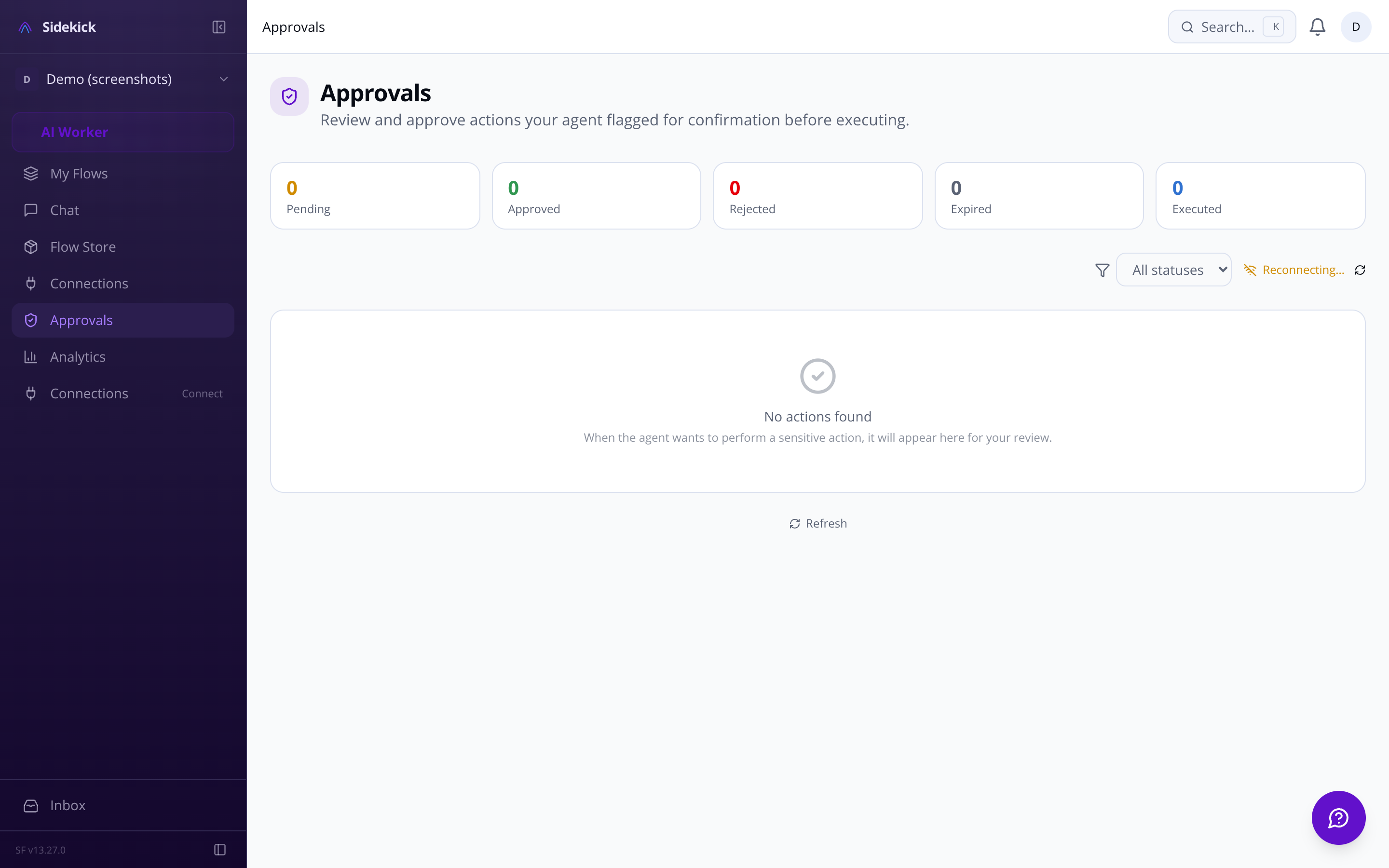
Three autonomy levels — ask-first, act-then-report, or fully-autonomous — let you calibrate trust per integration. An emergency kill switch halts everything in one tap. Destructive actions (deleting data, contacting new people, financial transactions) always surface for your approval regardless of autonomy level.
Per-integration read-only overrides
Pending actions approval queue
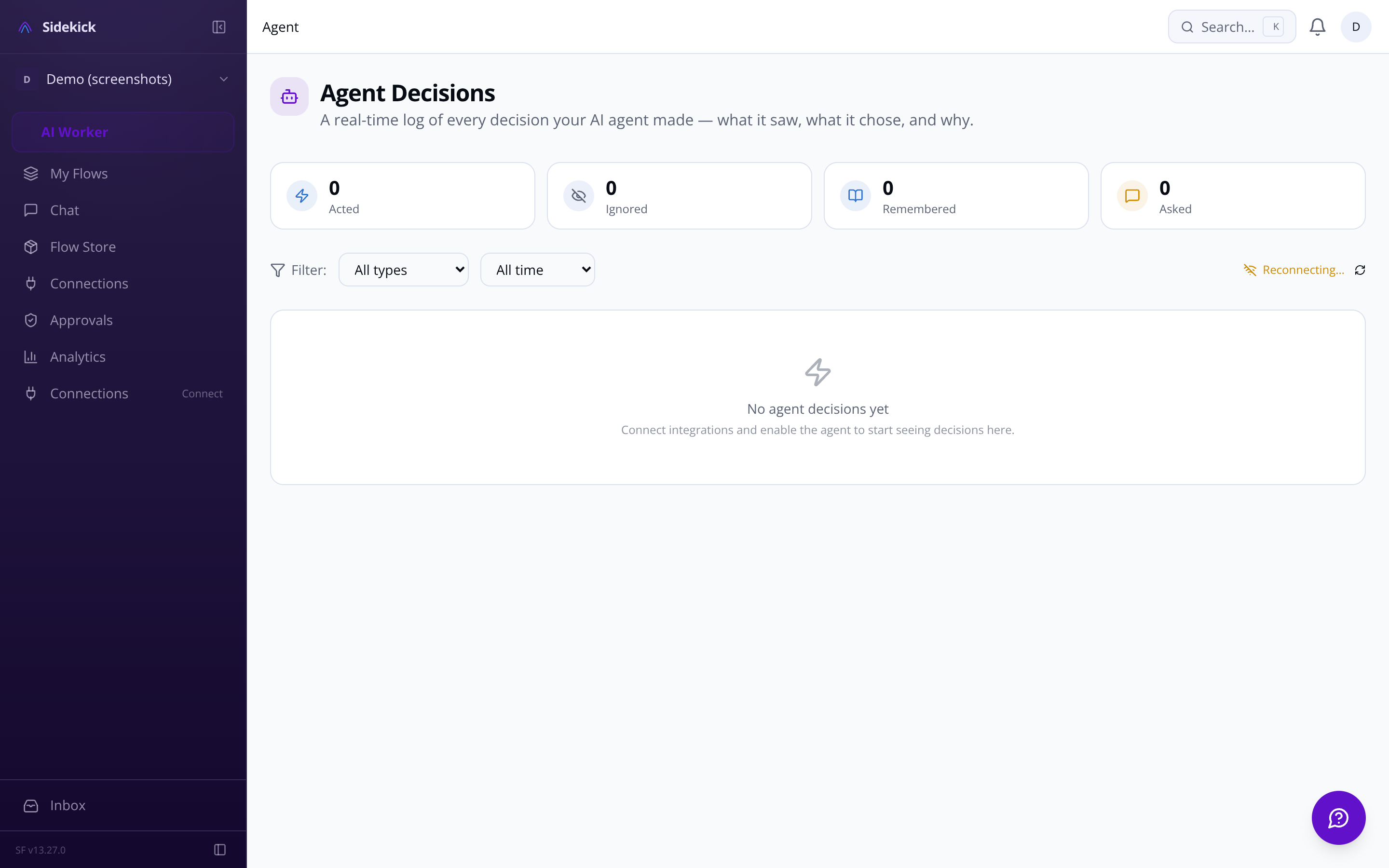
Full agent decision transparency log
Configurable quiet hours per timezone
[ WAITLIST / EARLY ACCESS ]
Ready to give your agent the keys?
Join the waitlist and be first to connect your tools.
[ REAL ANSWERS / NO SPIN ]
Honest answers, not marketing copy
[ SECURITY / DATA ]
Your credentials never leave the vault
All OAuth tokens and API keys are encrypted at rest with AES-256-GCM. Automatic key rotation runs with zero-downtime re-encryption. You can trigger manual rotation and inspect encryption status at any time.
Memory across sessions
Three-tier memory — working, episodic, semantic — means your agent remembers what you told it last week without you repeating yourself.
Integrations that stay connected
Gmail, Slack, GitHub, Linear, Notion, Google Calendar, Outlook, Telegram, WhatsApp, and Discord — with automatic OAuth refresh so tokens don't silently expire.
Build and share custom skills
You control exactly how much the agent does on its own. Three modes: ask-first (it proposes every action and waits for your tap to approve), act-then-report (it acts and tells you what it did), or fully-autonomous (silent execution). You can set different modes per integration — so the agent can read your GitHub repos freely but always ask before touching Gmail. On top of that, certain actions — deleting data, sending to a new contact, financial transactions, revoking access — require your confirmation regardless of which mode you're in. There's also an emergency kill switch that halts all activity instantly.
Built-in adapters ship for Gmail, Google Calendar, Outlook and Microsoft 365 (email, calendar, OneDrive), Slack, GitHub, Linear, Notion, Telegram, Discord, and WhatsApp Business. Beyond those, Sidekick connects to the ClawHub skill ecosystem — a marketplace with 13,729+ community-built skills you can search, install, and configure directly from the dashboard. If you're coming from OpenClaw, there's a dedicated migration guide to import your existing skills and reconnect your accounts.
Sidekick uses a three-tier memory architecture. Working memory holds recent context so mid-conversation corrections ('actually make it Manchester') work naturally. Episodic memory stores daily summaries so the agent recalls what you worked on last week. Semantic memory uses vector search to surface long-term patterns — your communication preferences, recurring priorities, how you like to handle certain types of requests. Past conversations are searchable and resumable, and you can configure how long data is retained before it's automatically purged.
Every decision the agent makes is logged in a real-time activity feed: what it did, what triggered it, and the full reasoning chain behind it. When it's about to act, it renders an interactive card in chat showing exactly what will happen before it happens — approve, edit, or reject without leaving the conversation. You can also set rate limits per integration (for example, a cap on how many emails it can send per hour) and configure quiet hours so it queues actions rather than firing them while you're asleep.
Free gives you three connected integrations and 50 agent actions per day, with access to community skills from ClawHub. Pro removes the integration cap, raises the action limit to 1,000 per day, and adds the ability to build and publish your own custom skills plus priority support. Enterprise is uncapped, adds SSO, a dedicated support contact, and an SLA — and includes usage-based billing for high-volume months so you're not paying for headroom you don't use. If you downgrade, features phase out gradually rather than disappearing the moment you switch.
Yes. The custom skill builder walks you through writing natural-language instructions for what the agent should do, specifying which integrations the skill needs, and testing it in a sandbox before you turn it on. Sensitive values the skill needs — API keys, tokens — are stored encrypted at rest with AES-256-GCM and managed in a dedicated variable manager that shows exactly which skill needs which key. When a skill is ready to share, you export it as a SKILL.md file and publish it to ClawHub, where other Sidekick users can find it through semantic search.
GDPR data export and account deletion
Configurable data retention and auto-purge
Spending caps and per-integration rate limits
Encrypted skill environment variables
Write natural-language instructions in the guided editor, test in a sandbox, then export as SKILL.md to share on ClawHub.
[ STILL HAVE QUESTIONS? ]
Still unsure? Ask us directly.
Email us at sf-core-org-support-sidekick@saas-factory.ai — a real person (aided by Sidekick itself) reads every message.