Sidekick
BlogFAQFeaturesHow it worksIntegrationsPricingSecurityUse cases
Join the waitlist
SidekickJoin the waitlist
Sidekick
HomeBlogFAQFeaturesHow it worksIntegrationsPricingSecurityUse cases
Join the waitlist
Sidekick
BlogFAQFeaturesHow it worksIntegrationsPricingSecurityUse cases
TermsPrivacyData Processing

© 2026 Sidekick

[ USE CASES / REAL WORKFLOWS ]

The work that never stops — handled.

Sidekick connects your tools, learns what matters to you, and acts on your behalf — whether you're shipping code, managing a team, or keeping customers moving.

[ PERSONA / SOLO DEVELOPER ]
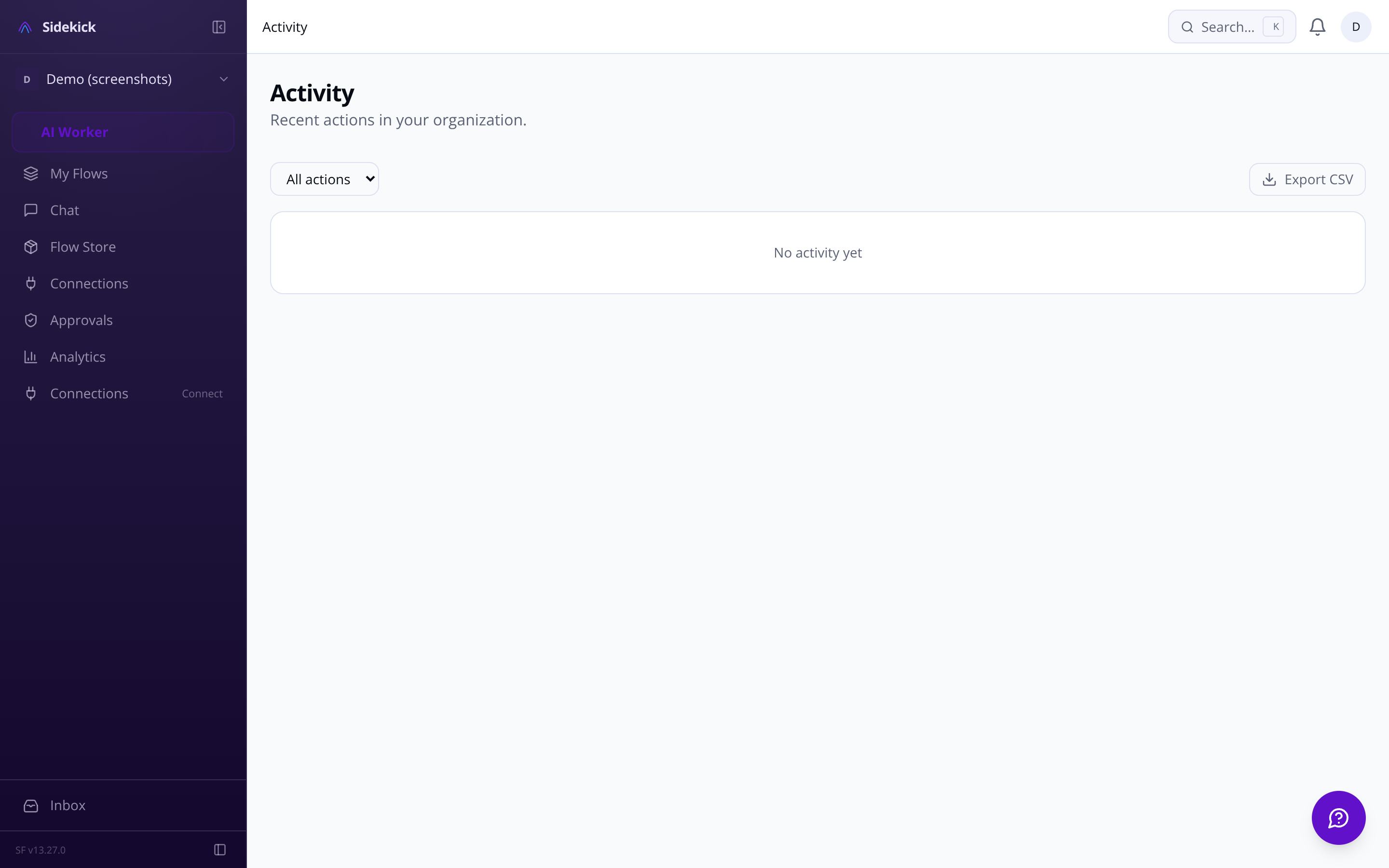
The solo dev who ships features, not tickets

Sidekick agent activity feed showing GitHub and Linear events

Pull requests stack up while you code. CI fails and nobody knows. Issues come in faster than you can triage them. Sidekick watches your repos and Linear board so you don't have to.

  • GitHub triage, automated Agent monitors open PRs, flags stale reviews, and summarises CI failures in plain language — delivered to your chat channel of choice.

  • Issues → Linear, without copy-paste Mention a bug in Slack or Telegram and the agent creates a Linear issue with context, priority, and assignee already filled in.

  • Sprint summaries on demand Ask 'what's blocking this sprint?' and get a structured answer from your actual Linear data, not a dashboard you have to click through.

GITHUB-ADAPTERPR #847 review requested from @maya — flagged for triagenow
LINEAR-AGENTIssue SID-219 created from Slack message → assigned to sprint12s
GMAIL-ADAPTER3 unanswered threads detected — draft replies queued for approval1m
CI-WATCHERBuild failure on main — root cause logged to activity feed2m
CALENDAR-AGENTConflict detected Thu 14:00 — rescheduling proposed4m
SLACK-ADAPTERMention in #product — reply drafted and queued6m
GITHUB-ADAPTERPR #847 review requested from @maya — flagged for triagenow
LINEAR-AGENTIssue SID-219 created from Slack message → assigned to sprint12s
GMAIL-ADAPTER3 unanswered threads detected — draft replies queued for approval1m
CI-WATCHERBuild failure on main — root cause logged to activity feed2m
CALENDAR-AGENTConflict detected Thu 14:00 — rescheduling proposed4m
SLACK-ADAPTERMention in #product — reply drafted and queued6m
GITHUB-ADAPTERPR #847 review requested from @maya — flagged for triagenow
LINEAR-AGENTIssue SID-219 created from Slack message → assigned to sprint12s
GMAIL-ADAPTER3 unanswered threads detected — draft replies queued for approval1m
CI-WATCHERBuild failure on main — root cause logged to activity feed2m
CALENDAR-AGENTConflict detected Thu 14:00 — rescheduling proposed4m
SLACK-ADAPTERMention in #product — reply drafted and queued6m
GITHUB-ADAPTERPR #847 review requested from @maya — flagged for triagenow
LINEAR-AGENTIssue SID-219 created from Slack message → assigned to sprint12s
GMAIL-ADAPTER3 unanswered threads detected — draft replies queued for approval1m
CI-WATCHERBuild failure on main — root cause logged to activity feed2m
CALENDAR-AGENTConflict detected Thu 14:00 — rescheduling proposed4m
SLACK-ADAPTERMention in #product — reply drafted and queued6m

[ HOW IT WORKS / FOUR STEPS ]

From connected tools to actions taken — in minutes

  1. STEP 01 — CONNECT

    Link your tools in one OAuth flow

    Connect GitHub, Linear, Gmail, Slack, Google Calendar, or any supported integration. No API keys to paste — OAuth handles it. The agent discovers your repos, inboxes, and channels automatically.

  2. STEP 02 — CONFIGURE

    Set autonomy levels and priority rules

    Tell the agent how hands-on you want it: ask-first for sensitive accounts, act-then-report for routine tasks. Add priority rules like 'always flag messages from investors' or 'ignore automated notifications'.

  3. STEP 03 — WATCH

    Agent runs continuously in the background

    The agent loop gathers events from every connected tool, reasons over them using your preferences and memory, and decides what to do — every cycle. You see a live feed of decisions and actions in the activity dashboard.

  4. STEP 04 — STAY IN CONTROL

    Approve, redirect, or stop — anytime

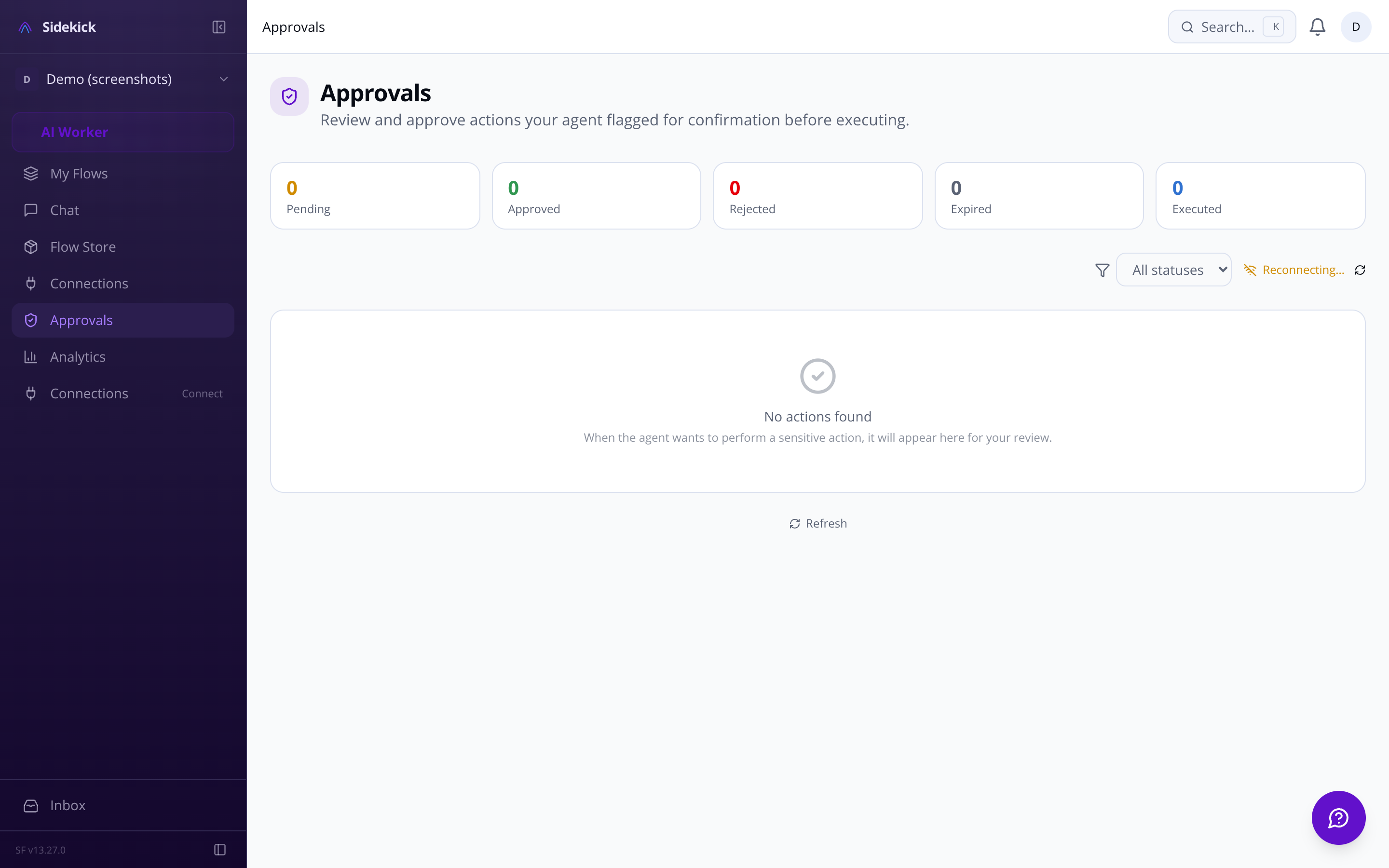
    Every pending action is visible in the approval queue. Destructive operations always require your sign-off, no matter the autonomy level. The kill switch halts everything instantly if you need a pause.

console
0.2s> sidekick connect github
0.8s✓ OAuth complete — 3 repos, 2 orgs detected
1.1s✓ Linear workspace linked — 14 open issues found
0.3s> set autonomy gmail=ask-first github=act-then-report
0.9s✓ Gmail: approval queue active
1.3s✓ GitHub: agent will act and report — quiet hours 22:00–07:00
0.4s[AGENT] Gathering events across 5 integrations…
0.9s[AGENT] PR #214 stale 4 days — pinging reviewer @alex
1.4s✓ Slack DM sent — action logged
0.3s[QUEUE] Delete branch 'fix/legacy-auth'? — awaiting approval
0.8s> approve
1.2s✓ Branch deleted — decision logged with full reasoning chain
MEMORY-SYSLong-term recall: user prefers Telegram over email for urgent pingslive
APPROVAL-GATEDelete action on Notion page queued — awaiting human confirmation3s
SKILL-ENGINECustom skill 'Weekly standup digest' executed — summary sent to Slack1m
RATE-LIMITERGmail cap: 40/50 actions today — user notified2m
QUIET-HOURSOutbound queue paused 22:00–07:00 UTC — 4 actions deferred4m
CALENDAR-AGENTMeeting prep brief for 09:00 standup sent to chat8m
MEMORY-SYSLong-term recall: user prefers Telegram over email for urgent pingslive
APPROVAL-GATEDelete action on Notion page queued — awaiting human confirmation3s
SKILL-ENGINECustom skill 'Weekly standup digest' executed — summary sent to Slack1m
RATE-LIMITERGmail cap: 40/50 actions today — user notified2m
QUIET-HOURSOutbound queue paused 22:00–07:00 UTC — 4 actions deferred4m
CALENDAR-AGENTMeeting prep brief for 09:00 standup sent to chat8m
MEMORY-SYSLong-term recall: user prefers Telegram over email for urgent pingslive
APPROVAL-GATEDelete action on Notion page queued — awaiting human confirmation3s
SKILL-ENGINECustom skill 'Weekly standup digest' executed — summary sent to Slack1m
RATE-LIMITERGmail cap: 40/50 actions today — user notified2m
QUIET-HOURSOutbound queue paused 22:00–07:00 UTC — 4 actions deferred4m
CALENDAR-AGENTMeeting prep brief for 09:00 standup sent to chat8m
MEMORY-SYSLong-term recall: user prefers Telegram over email for urgent pingslive
APPROVAL-GATEDelete action on Notion page queued — awaiting human confirmation3s
SKILL-ENGINECustom skill 'Weekly standup digest' executed — summary sent to Slack1m
RATE-LIMITERGmail cap: 40/50 actions today — user notified2m
QUIET-HOURSOutbound queue paused 22:00–07:00 UTC — 4 actions deferred4m
CALENDAR-AGENTMeeting prep brief for 09:00 standup sent to chat8m

[ GET STARTED / JOIN WAITLIST ]

Your agent is ready when you are

Connect your tools, configure your preferences, and let Sidekick handle the work that piles up while you're focused on what matters.

Questions? Email us at sf-core-org-support-sidekick@saas-factory.ai

[ PERSONA / FOUNDER ]

The founder whose inbox is a second job

You're in back-to-back calls all day, then spend your evenings triaging email. Sidekick monitors your Gmail and calendar, drafts responses in your voice, and surfaces only the things that actually need you.

  • Inbox that works while you're in meetings Sidekick reads incoming emails, drafts replies for the routine ones, and flags only messages requiring your actual decision — in the approval queue before you even open your laptop.

  • Calendar conflicts caught before they happen Google Calendar and Outlook stay in sync. Scheduling conflicts, double-bookings, and meeting prep reminders surface in chat before they become a problem.

  • Your preferred channel, always

[ PERSONA / TEAM LEAD ]
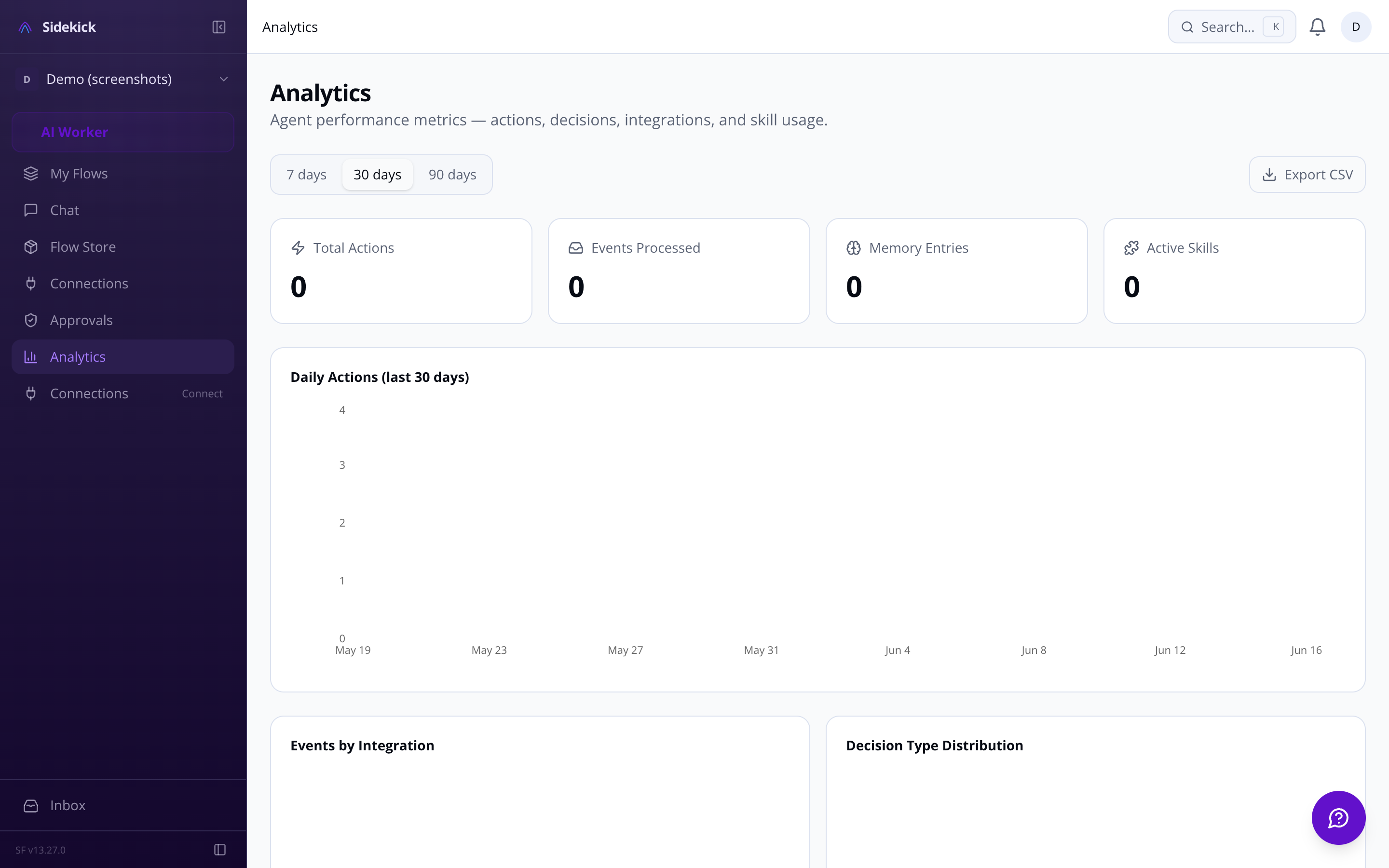
The team lead who needs signal, not noise

Sidekick analytics dashboard showing agent actions, integration usage, and team activity

[ SCENARIO / MULTI-CHANNEL ]

Works wherever your team already lives

Browser chat as command centre

The full-screen chat interface is where complex multi-step tasks happen. Natural language instructions parsed into structured agent actions — no syntax to memorise.

Mobile alerts via Telegram or WhatsApp

The agent reaches you where you actually are — Telegram or WhatsApp for on-the-go approvals, voice notes forwarded and transcribed, full context preserved across channels.

[ SCENARIO / CUSTOM SKILLS ]

Beyond the built-ins: skills for your exact workflow

Standard automations cover common ground. Your workflow isn't standard. Sidekick's skill builder lets you describe exactly what the agent should do in plain language — no code, no YAML wrangling — and test it before it runs for real.

  • Write once, share to ClawHub Skills you build export as SKILL.md — a portable format that works with the broader OpenClaw ecosystem. Publish to ClawHub or keep private to your workspace.

  • Browse 13,729+ community skills Search the marketplace with natural language — semantic matching surfaces the right skill even when you don't know the exact name. One-click install with automatic credential mapping.

[ TRUST / TRANSPARENCY ]

You see every decision. You control every action.

Decision transparency log

Every choice the agent makes — what triggered it, what it reasoned, what it did — is logged in a real-time feed you can audit and filter.

Destructive actions always gate

Deleting data, sending to new contacts, financial transactions — these require explicit human approval regardless of your autonomy setting.

[ FAQ / COMMON QUESTIONS ]
Questions people actually ask

Whether you live in Telegram, Slack, or just the browser — Sidekick routes everything through the channel you actually check.
Sidekick approvals queue showing pending email drafts and calendar actions

You're responsible for delivery but drowning in status updates, Slack threads, and sprint ceremonies. Sidekick gives you a live picture of team health across GitHub, Linear, and Slack — without scheduling a meeting to find out.

  • Proactive blockers, not retrospective regret Agent surfaces stalled PRs, overdue Linear issues, and failing CI before your standup — with suggested next actions already drafted.

  • Analytics that actually explain themselves See actions taken, integrations most active, and decision reasoning in a feed you can audit — not a black box that just did things.

  • Autonomy you control, per integration Set the agent to act-then-report on GitHub, ask-first on Gmail, and fully silent on Notion. Per-integration overrides mean every surface has the right trust level.

Slack for team-facing actions

Agent reads channel mentions, responds in threads, and posts summaries to the right channels — without you copy-pasting between tools.

Environment variables, encrypted Skills that need API keys store them encrypted at rest with AES-256-GCM. OAuth connections satisfy requirements automatically — no raw keys in config files.
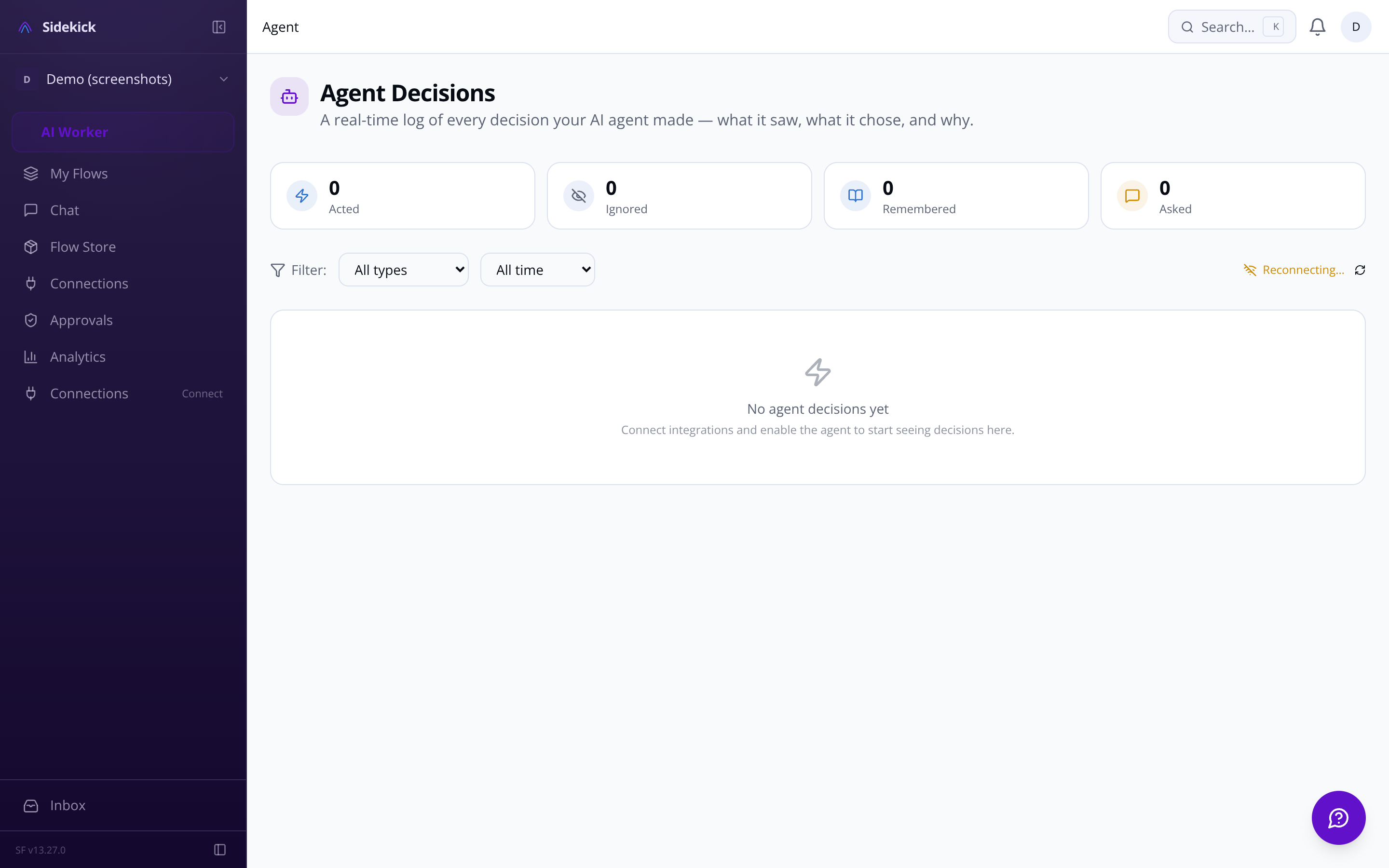
Sidekick agent configuration panel showing skill settings and autonomy controls

Emergency kill switch

One button halts all agent activity instantly: stops the loop, cancels pending actions, disconnects integrations. Peace of mind is a feature.

You control exactly how much the agent does on its own. Three modes: ask-first (it proposes every action and waits for your tap to approve), act-then-report (it acts and tells you what it did), or fully-autonomous (silent execution). You can set different modes per integration — so the agent can read your GitHub repos freely but always ask before touching Gmail. On top of that, certain actions — deleting data, sending to a new contact, financial transactions, revoking access — require your confirmation regardless of which mode you're in. There's also an emergency kill switch that halts all activity instantly.
Built-in adapters ship for Gmail, Google Calendar, Outlook and Microsoft 365 (email, calendar, OneDrive), Slack, GitHub, Linear, Notion, Telegram, Discord, and WhatsApp Business. Beyond those, Sidekick connects to the ClawHub skill ecosystem — a marketplace with 13,729+ community-built skills you can search, install, and configure directly from the dashboard. If you're coming from OpenClaw, there's a dedicated migration guide to import your existing skills and reconnect your accounts.
Sidekick uses a three-tier memory architecture. Working memory holds recent context so mid-conversation corrections ('actually make it Manchester') work naturally. Episodic memory stores daily summaries so the agent recalls what you worked on last week. Semantic memory uses vector search to surface long-term patterns — your communication preferences, recurring priorities, how you like to handle certain types of requests. Past conversations are searchable and resumable, and you can configure how long data is retained before it's automatically purged.
Every decision the agent makes is logged in a real-time activity feed: what it did, what triggered it, and the full reasoning chain behind it. When it's about to act, it renders an interactive card in chat showing exactly what will happen before it happens — approve, edit, or reject without leaving the conversation. You can also set rate limits per integration (for example, a cap on how many emails it can send per hour) and configure quiet hours so it queues actions rather than firing them while you're asleep.
Free gives you three connected integrations and 50 agent actions per day, with access to community skills from ClawHub. Pro removes the integration cap, raises the action limit to 1,000 per day, and adds the ability to build and publish your own custom skills plus priority support. Enterprise is uncapped, adds SSO, a dedicated support contact, and an SLA — and includes usage-based billing for high-volume months so you're not paying for headroom you don't use. If you downgrade, features phase out gradually rather than disappearing the moment you switch.
Yes. The custom skill builder walks you through writing natural-language instructions for what the agent should do, specifying which integrations the skill needs, and testing it in a sandbox before you turn it on. Sensitive values the skill needs — API keys, tokens — are stored encrypted at rest with AES-256-GCM and managed in a dedicated variable manager that shows exactly which skill needs which key. When a skill is ready to share, you export it as a SKILL.md file and publish it to ClawHub, where other Sidekick users can find it through semantic search.